This guide covers how instructors can:
- Consider how a script is different from a lecture
- Segment content into chunks for better cognition
- Begin writing a video script
- Read the script aloud and find points to edit for increased clarity
- (Writing a script is step one; the next step is reading it aloud)
Less is more
When it comes to video, less is more (when it comes to length). Aim for a short, concise, and focused script.
Research shows that student engagement watching videos about 6 minutes in length is close to 100%. But the longer a video runs, the more likely a student will click away.
Recordings in the 6-10 minute range are far more likely to keep students engaged to the final frame.
Most people read at a 120-words-per-minute pace. An 800-word script equates to a 6.5-minute video.
Segment content
Complex topics that require more than 10 minutes to cover can be segmented, then sequenced into a series of shorter videos. Break down longer lectures or complex topics into shorter segments, or chunks, so each video covers a single topic or learning objective. Multiple short videos, or “chapters” help students to stay engaged and focused on the key points.
Research behind the Segmenting Principle:
The Segmenting Principle (Richard Mayer’s Theory of Multimedia Learning) states that students learn better when multimedia information is presented in bite-sized segments rather than as a continuous unit. When students have control over the pace of their learning through shorter chunked content, they perform better on memory and recall tests. Fast-paced or lengthy recordings prevent learners from fully processing one step before the next one appears.
You can apply this principle by writing concise scripts and recording multiple “chapter” videos, each focused on one important point.
Conversational and clear
Good scripts flow like a conversation. Write a script as if you are discussing a topic aloud. A conversational style will help to keep your audience engaged.
Simple sentences work best in video scripts. As you write sentences, use less commas and conjunctions, and more periods. Simple sentences are easier to read, and listen to, compared to complex sentences with multiple clauses.
Avoid using slang words. Not everyone understands words that are used informally.
It’s okay to use contractions to shorten words.
- For example, “We’ll be discussing,” is easier to read aloud compared to, “we will be discussing.”
If the script includes a technical term, consider including a plain-language description, so your audience is crystal-clear about its meaning.
- For example: “This course includes formative assessments, or low-stakes activities, to help students check their understanding before the final big assignment.
These days anyone can search and find facts and information. In a video recording a topic comes alive with your extensive knowledge and wisdom, insight and anecdotes.
Write using plain language as much as possible.
Accessible, consistent experience
In video format, it’s important that the words in the script match the visuals or text visible on screen. Lecturing in person, it’s easy to refer to material in your slides, rely on context, and pick up on cues from your students. Video requires you to maintain a tight connection between what you show and say in order to prevent confusion.
Any visuals used in the recording should be called out explicitly in the script and you should include audio descriptions and descriptive language as much as possible. This is essential to ensure accessibility and ensure students are following both the visuals and lecture. It’s good practice to consider what visual images can pair with the script, as you create a script. Matching the script with specific visuals is part of the process of creating a storyboard for each video.
Getting started writing
Start with your lecture notes. Or, begin by outline the main points, then fill in the details.
- “Hello, I’m Professor XYZ. Today let’s discuss ABC and how this impacts 123.”
It also works to “talk out” the script, transcribing your ideas to text.
Google offers a dictation tool, “Type and edit with your Voice” so you can “talk out” the first version of a script. There are many dictation and speech-to-text software apps online. This is a fast way to get all your ideas out on paper, and then edit them.
Strong video scripts can include anecdotes, scenario examples, and references to case studies, and serve as entry-points for the topic or idea:
- A question: “Have you ever wondered how…?”
- A short story: “In this kind of situation, when the team was short one person, it requires…”
- Set a scene: Describe the location or place of the video topic, using specific visual details.
- A problem: “The feedback was resoundingly clear. A change was necessary.”
- Personal vignette: “Let me tell you about the time…”
- Start at the end: Begin by describing the result/solution, then back up to explain from the start.
Voicing the question
Rhetorical questions, or preview statements, are entry points, or signals, that help students navigate the lecture, and increase their engagement with the subject matter.
- What am I talking about?
- Where does this lead?
- So why does this matter?
- We’ll cover three main ideas, X, Y and Z.
In the script, it’s good to write in lines that revisit, and reinforce, main ideas to ensure students stay connected through the lecture.
Repeating main points
When the audience “loses track” in a recording, there’s no going back to ask a clarifying question (even when they stop and rewind). Using repetition in a script reinforces main ideas. Repeating key ideas is like putting up a signpost that helps people stay on track, or get back on track.
- “Let me say this again, because it’s an important point…”
- “Let’s revisit this idea…”
- “Just to make it clear…”
Consider an outline
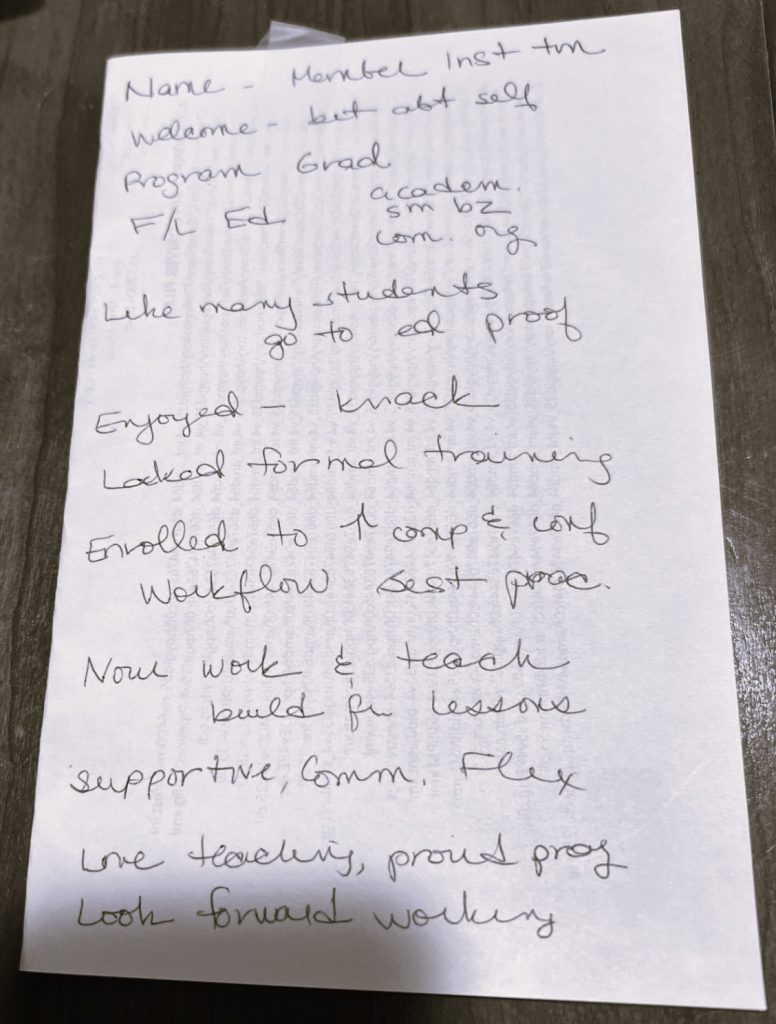
Are you recording a brief introduction, or an overview for a module? Maybe you’re narrating a slide deck and want to speak in a highly conversational style?
Creating an outline to follow might work better than writing a full script — especially if you are not reading from a teleprompter to record.
Why not just talk?
You’re an expert, and you know what you want to convey to students. Why go to the trouble of writing a script or outline? Consider:
- An outline helps to keep you on track, if you’re not reading directly from a line-by-line script.
- An outline helps to keep you singularly focused on the lecture topic (no sidebars).
- An outline works as a safety check to keep you on track to cover everything you want to, in the concise amount of time you have to record.
Format the script
It’s easier to read a script aloud when it’s formatted with multiple breaks between lines or short paragraphs.
Ideally each section is one or two sentences in length, so you can focus on each line of text in your delivery.
To highlight words or phrases for you know you want to give special treatment, use:
- CAPITAL LETTERS
- lowercase letters
- Lists: Numbered or bulleted
- Arrow key (“>>>”)
- Line breaks (use line breaks often! Reading one or two lines is much easier than a paragraph.)
Read it aloud
There’s no substitute for practicing a video script aloud. Read your script enough times — and change words and phrasing as you go — so your delivery is crisp and flows smoothly.
“Practice makes perfect.”
The origins of this phrase come from the Latin, usus facit magistrum, meaning: “use makes mastery”.
Continuum’s comprehensive guide to creating video recordings using Panopto, and preparing to work in Continuum’s recording studio.
More information about recording videos in the Continuum studio.
Reserve a one-to-one training session with an Instructor Development Specialist on the Continuum College: Training Calendar.
Updated 010/27/25